Which keyboard should you choose?

This is a simple guide to help those who are looking to replace or purchase a keyboard with a bit more criteria than price and appearance in mind. It's not a comprehensive guide, but some basic info on the keyboards out there in 2026 in the $10~$80 range.

Choosing the right keyboard can significantly impact your typing experience, productivity, and comfort. It can even be enjoyed. You build muscle memory with your keyboard so it's worth finding the right one for your needs. There is a wide array of keyboards available, each with unique characteristics and advantages. Aside from size and layout, they are categorized by switch type(under the keys)The main types available new, in today's market are:

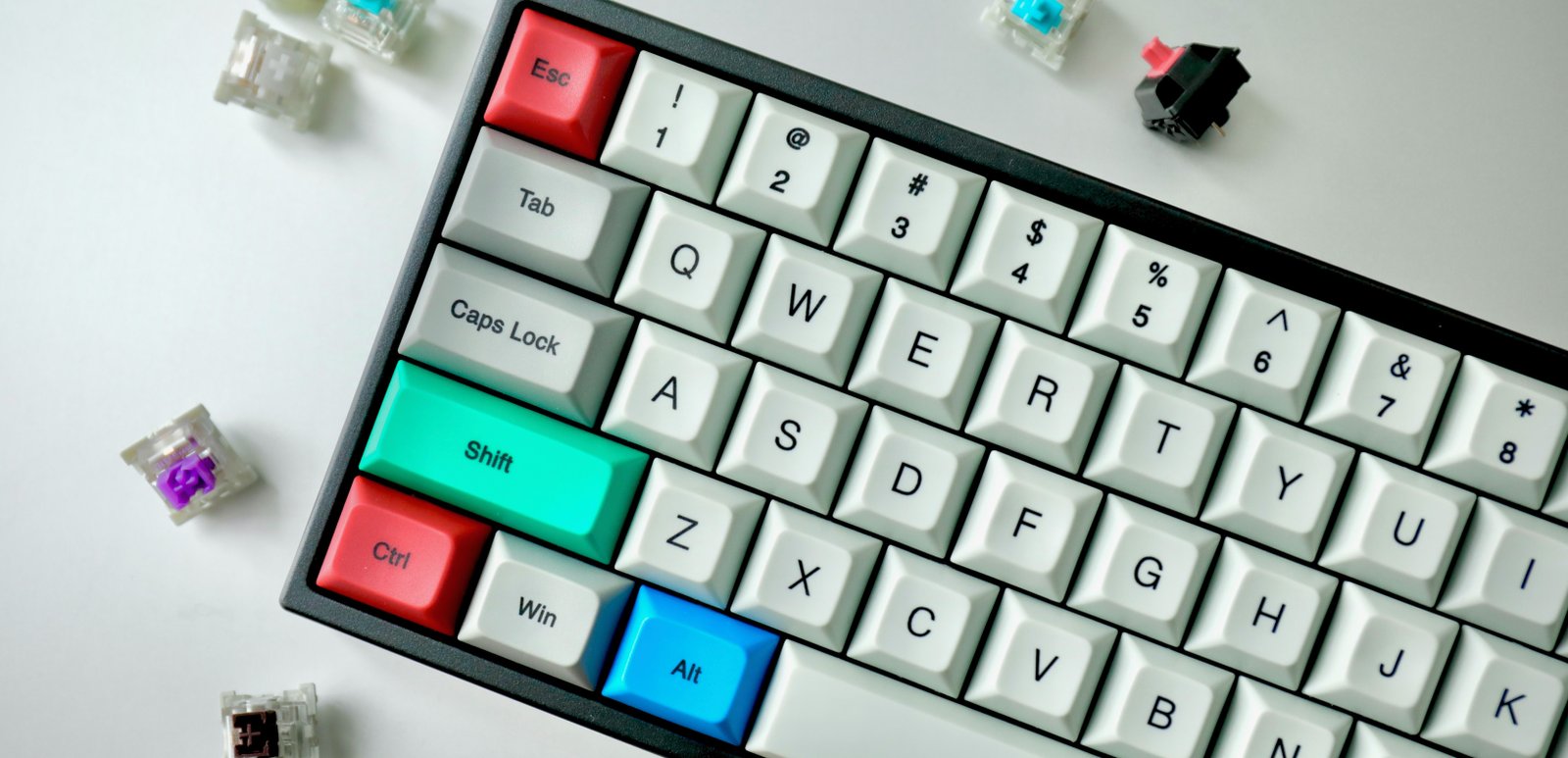
Mechanical keyboards, use individual mechanical switches for each key and offer tactile feedback, they are highly customizable, from key switches and keycaps to RGB lighting and programmable macros, you can make it the way you want it

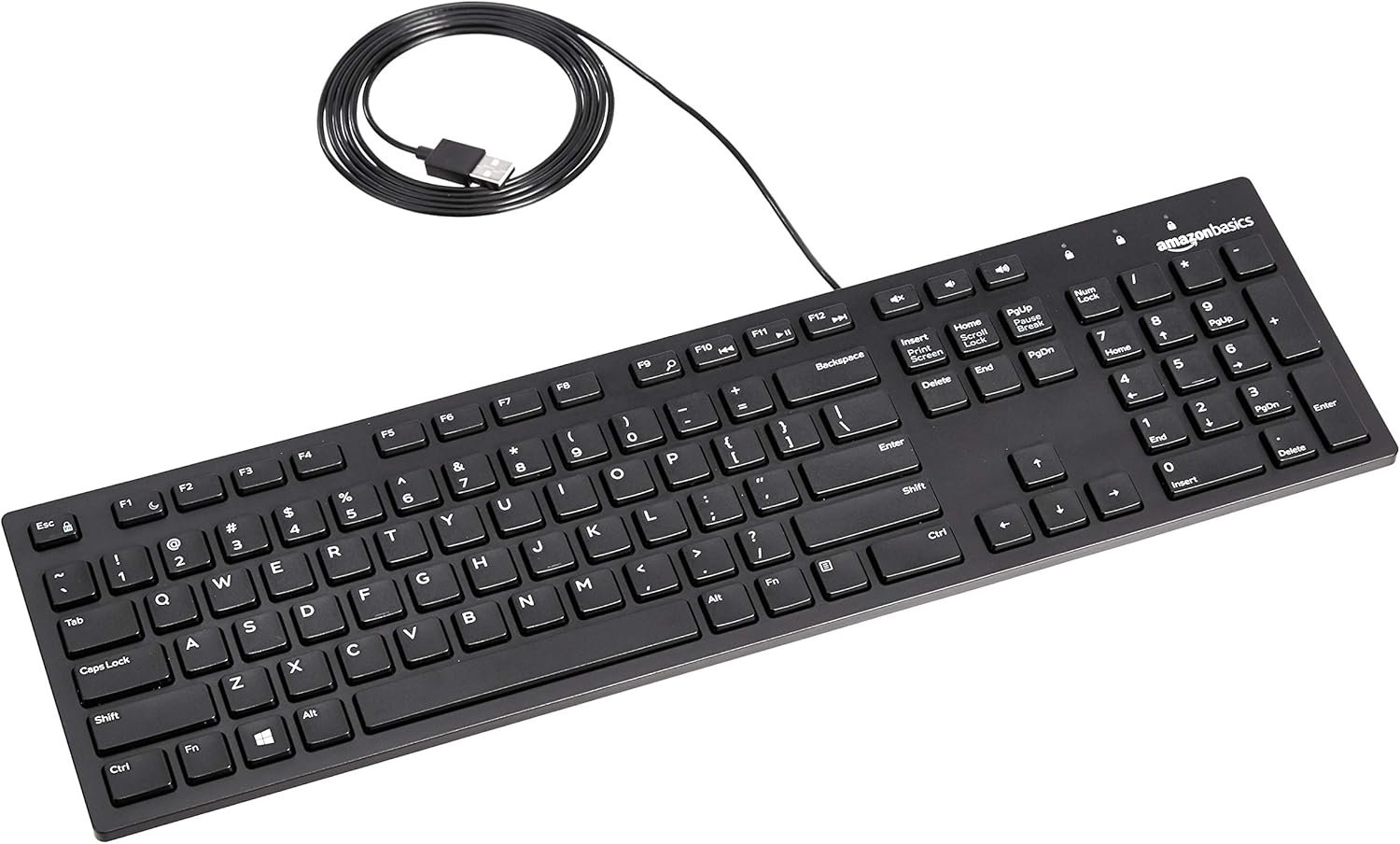
Membrane keyboards, use a pressure pad system and are typically more affordable, they are often a durability and budget oriented choice, some can even be washable, usually a good choice for tougher environments like in a kitchen, garage or shop where contaminants and debris may come in contact with the keyboard, also a good choice for kids who may be prone to accidents and spills, least responsive switch type, can feel mushy - like the buttons on a calculator, ATM or payphone

Scissor-switch keyboards, commonly found in laptops and offering a balance between feel and portability, they have a scissor-type mechanism under each key which can provide an agreeable feedback experience

Keychron Mechanical Keyboard Example

Mechanical

Pros

  • Satisfying tactile feedback
  • Extremely durable
  • Highly customizable
  • Great for typing and gaming
  • Quality, longevity and repairability

Cons

  • Can be loud for others nearby
  • More expensive
  • Can be heavy and bulky

Switch Types

  • 🔴 Linear: Smooth, quiet (e.g. Red)
  • 🟤 Tactile: Bump, no click (e.g. Brown)
  • 🔵 Clicky: Loud click & bump (e.g. Blue)
Amazon Basics Membrane Keyboard

Membrane

Pros

  • Slim profile
  • Affordable
  • Spill-resistant
  • Good for harsh environments

Cons

  • "Mushy" key feel
  • Not worth repairing
  • Often flimsy and flexible


Membrane keyboards are the everyday, run of the mill, standard issue keyboard that you have to use at work or school, starting at $10, however there are some higher end models available.

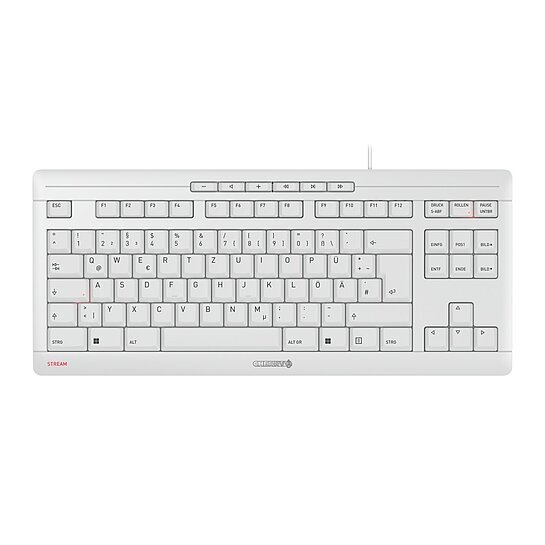
Cherry Stream Scissor Keyboard

Scissor

Pros

  • Slim profile
  • Short key travel distance
  • Quiet & Stable
  • Affordable

Cons

  • Not customizable
  • Smaller market than mechanical keyboards - less options
  • Feedback varies, some may feel hard to press, others may feel too soft


If you like the feel of a laptop keyboard, you'll likely enjoy a scissor-switch keyboard. More options have slowly become available as people find scissor-switch keyboards to be an improvement over membrane keyboards but are not interested in mechanical keyboards.

Keyboard Layouts Example

Layouts & Considerations

Layouts & Sizes

That takes care of what's under the keys, they can come in a few forms and layouts, adding more customization possibilities:

Full-size keyboards (100%) include all keys including the number pad, function row, and arrow keys, ideal for data entry and users who need all keys readily available. When you need to input numbers it's always more efficient on the number pad. Separate number pads are also available and can be used on the left side of the keyboard for even more efficiency while the right hand is on the mouse.

TKL/80%(tenkeyless) keyboards remove the number pad while keeping everything else, offering a more compact design that saves desk space and allows for better mouse positioning. The perfect layout for most people if number pad isn't a priority, the smaller footprint allows for the right hand on the mouse to be closer to the keyboard which may improve ergonomics.

65% keyboards are even more compact, removing the function row and some navigation keys while keeping the arrow keys and a condensed layout, very clean looking.

Other popular compact layouts include 60% (no arrow keys or function row), 75% (compact but with function row), and 40% (ultra-minimalist). The layout you choose depends on your space constraints, typing habits, and whether you need dedicated keys or are comfortable using function layers.


Make sure you choose a keyboard that is compatible with your operating system and equipment. Some keyboards have specific Mac or Windows symbols printed on certain keys and some may be restricted to only one OS, or if it has software, it may not be compatible with your system.


There are also split keyboards, which are split into two halves, one for each hand, for better ergonomics.


Portable foldable keyboards can be found in full and compact versions.


Things to Consider

Wired or wireless?

Wired keyboards offer several distinct advantages: they never need battery charging, ensuring you're never interrupted by a dead battery during important work or gaming sessions.

Additionally, wired keyboards can eliminate one source of radio frequency emissions from Bluetooth connectivity, which can be particularly beneficial for those who are sensitive to electromagnetic fields (EMFs).

The direct connection also typically provides lower latency, making wired keyboards preferred for competitive gaming and precision tasks. Keyboards with detachable cables can allow for custom cables in different colors, lengths and coiled options.

Wireless for aesthetics, a clean look, portability or off-desk use. Batteries usually last long and can be AAA, AA or built in rechargeable.

Keyboards in 2026

Currently, mechanical keyboards are most popular amongst those who have gone beyond whatever keyboard they were issued by life. With high customization potential and a pleasant user experience there are many mechanical keyboards to choose from today. Keychron is a reputable brand and I use 2 of their wired keyboards, one TKL and one full sized, each with a different switch. The mechanical keyboard market is quite competitive and can be overwhelming with nearly endless choices which results in more potential for bad keyboards flooding the market based on looks and hype marketing

The main types of key switches are linear, tactile and clicky. And these branch out into their own sub-categories. They can be near silent or sound "thocky", "clacky" or muted, "buttery" being a desired quality for some.


Whether you prefer a $12 membrane keyboard or $300 custom mechanical keyboard, is up to you. I hope this basic guide helps you make an informed decision based on your actual needs and budget.

Final Thoughts

Inherited less-than-optimal design and "mouse menu diving"

The QWERTY layout you see stamped on your keyboard is not designed to be efficient for typing, but was designed to keep the typewriter from jamming when 2 keys were pressed near simultaneously by fast typists. The letter layout was designed to separate common letter duos and avoid jamming. It's what we're stuck with so may as well get a comfortable and enjoyable keyboard. If you are exceptional, you can learn to use the DVORAK layout, designed for ergonomics and efficiency in English typing.

Whether you are a superuser or just mostly browse and email, it's worth learning the keyboard shortcuts for your most common "moves". Keyboard shortcuts keep your hands on the keyboard instead of moving over to drag the mouse around and go "menu diving" for the command you want to execute.
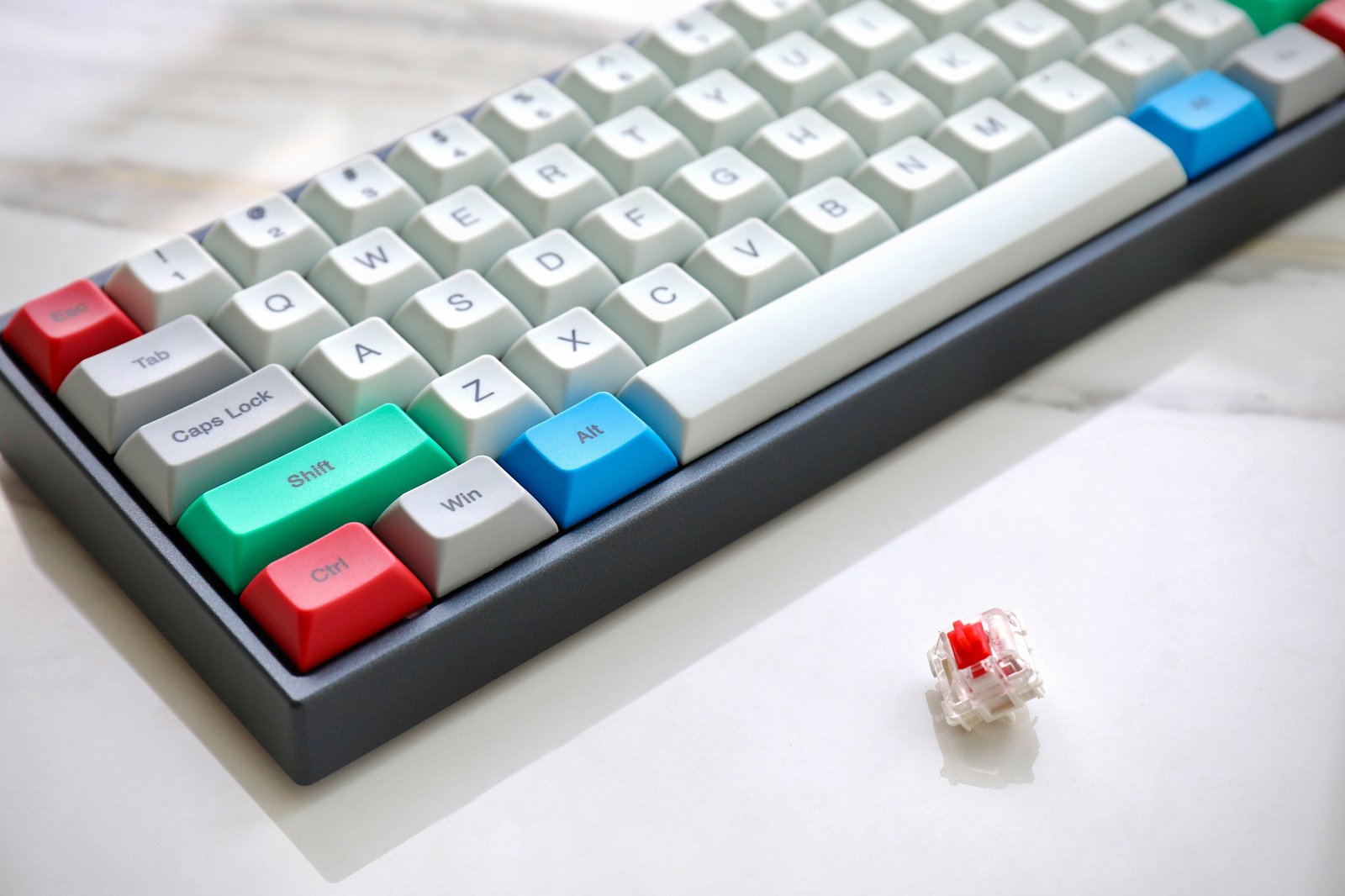
Here are few suggestions for most use cases ranging from $10-$90, a good scissor keyboard can be purchased for about $20-$40 and a good mechanical one starting around $40 up to $80+ depending on features.

*As an Amazon Associate I earn from qualifying purchases.

Mechanical Keyboards:

  • Keychron C1 - a basic and reliable TKL(80%) wired mechanical keyboard good for all-purpose, gaming or typing (using one daily, non-gaming general use, since 2020, looks and works great with no maintenance other than random air dusting) *editor's pick
  • Keychron C2 - same as C1, but Full(100%) version, good for data entry and I like that Enter key near the edge of a full sized keyboard *editor's pick
  • Keychron V1 - a 75% wired keyboard with a programable rotary knob, easy to customize in many ways
  • Kisnt K85 - a wireless 75% layout, “creamy” sounding keyboard with RGB backlight at an entry level price

Membrane Keyboards:

  • Amazon basics - the budget choice, a basic full-sized, wired USB membrane keyboard, the most affordable option, typing is “meh” but it has it's niche
  • Logitech K120 - another budget choice and top seller, full size, slightly nicer design, but still feels like typing on a thick piece of carpet
  • Perixx Periboard 407 & 409 - decent typing feel for a membrane keyboard, these compact and low profile keyboards have most essential function keys in a small footprint
  • Corsair K55 - a TKL(80%) top seller amongst gamers, spill proof, RGB lighting, media keys, a higher end membrane keyboard that feels more responsive

Scissor Keyboards:

  • Cherry Stream - excellent affordable scissor keyboard, available in TKL(80%) and Full(100%) with a set of media buttons at the top *editor's pick
  • Apple Magic Keyboard - if you must go with an Apple keyboard, has a solid fanbase
  • Macally - maintain the Apple aesthetic without the Apple price, many optiions to choose from
  • Logitech Signature Slim K620 - slim and modern design scissor keyboard with chiclet keys
  • Perixx Periboard 213C - low profile with a unique ultra compact layout but with full function/media row and a number pad but no navigation keys